AI photo restoration · made simple

Restore old photos with care.

RestorePhoto repairs scratches, tears, and fading with AI photo restoration. Free to try.

Private by default
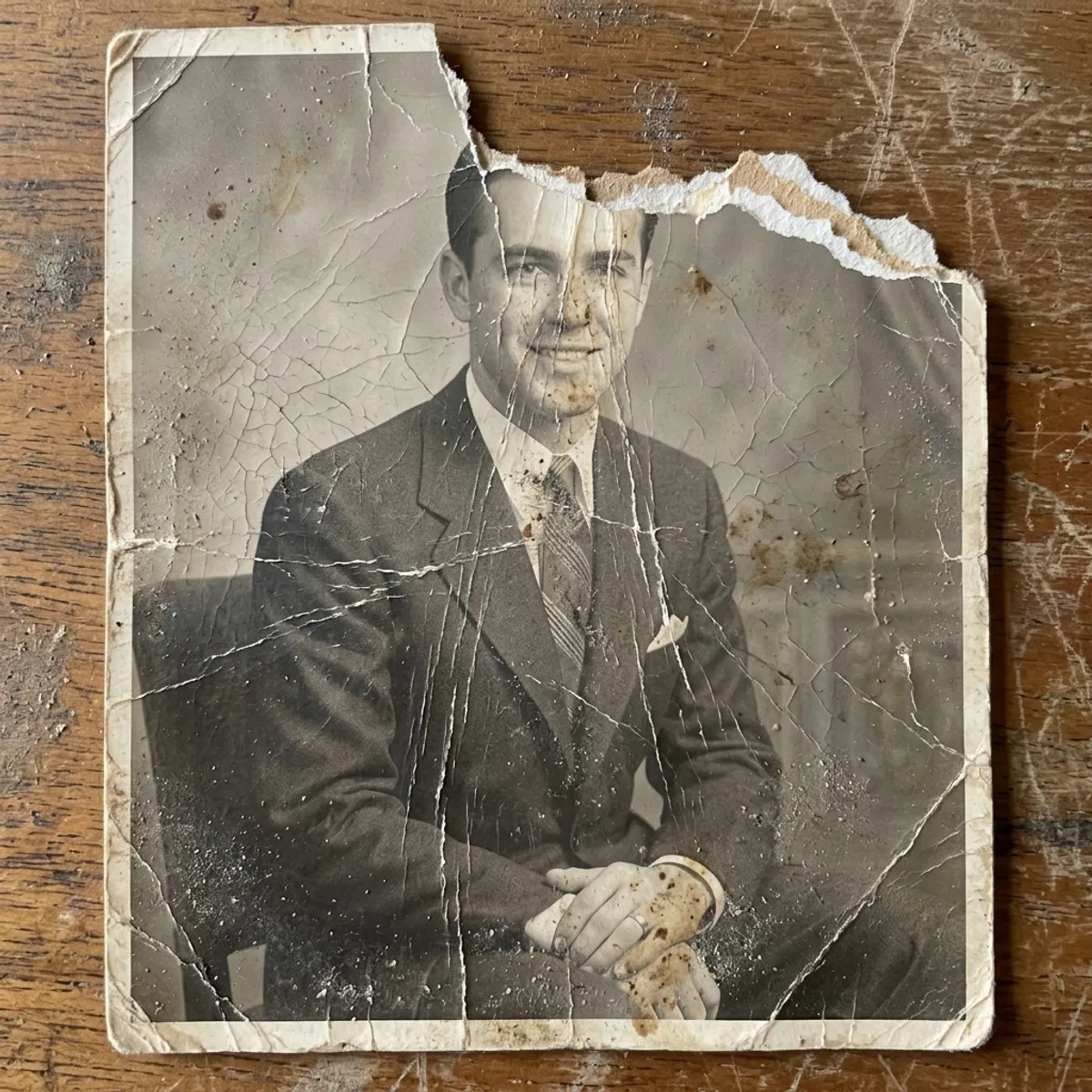
Restored 1940s formal portrait after AI photo restoration
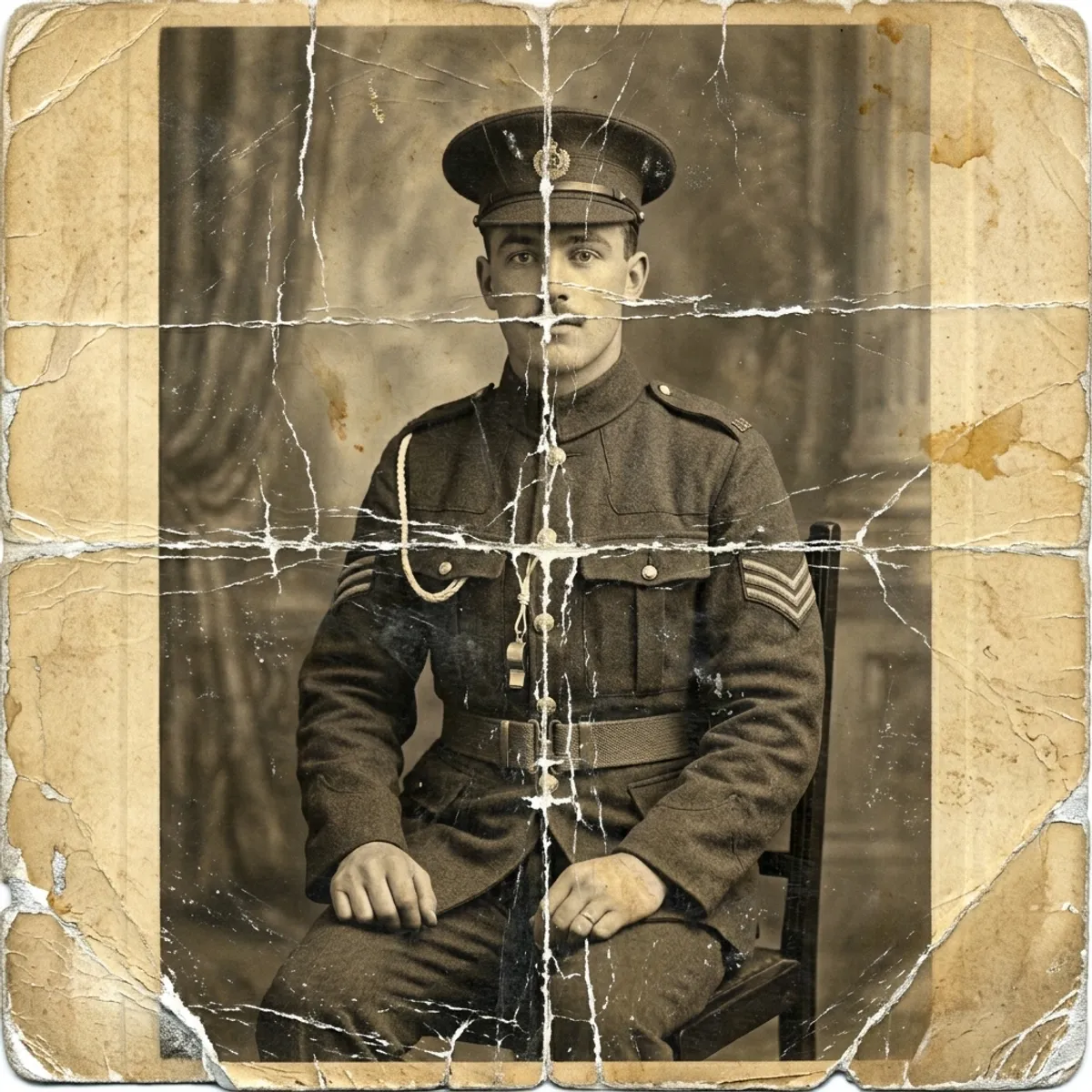
Original damaged 1940s formal portrait before restoration
Before After
How it works

How to restore old photos in three steps.

Built for people who love their photos more than they love their computers. If you can take a picture, you can use RestorePhoto. No scanner, no Photoshop.

1
Damaged 1940s formal portrait laid flat, ready to be photographed with a phone

Snap the original

Lay the photo flat, open the app, and point your phone at it. Review the upload, rotate it, and crop it before you start. No scanner is needed.

2
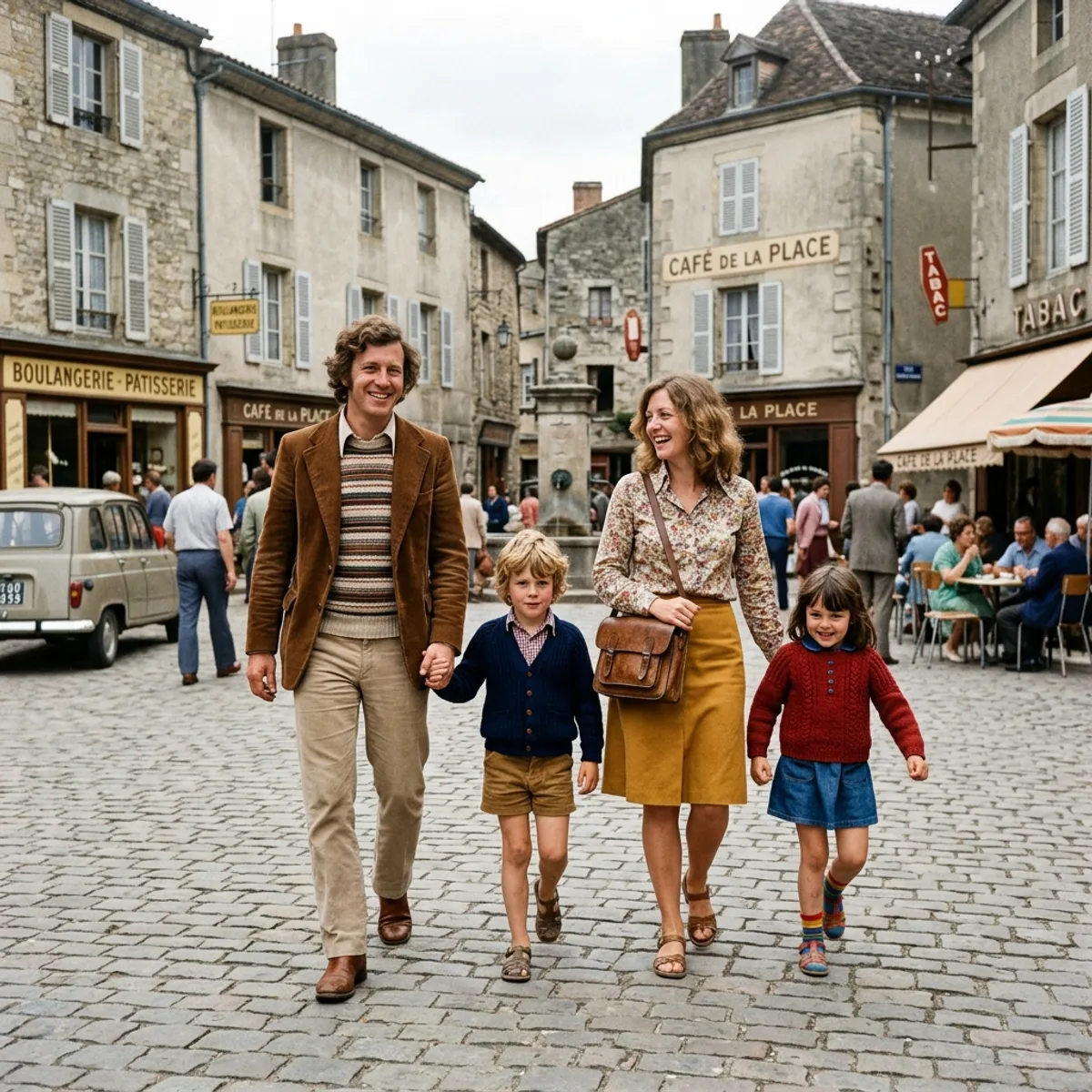
Same 1940s photograph after AI restoration, colorized with natural, period-accurate tones
Damaged 1940s formal portrait before AI restoration
Before After

AI does the heavy lifting

Our restoration model removes scratches, fills in tears, recovers faded color, and sharpens faces. Black-and-white stays black-and-white by default. Want color? Choose colorization before you upload.

3

Share or print at home

Save to your camera roll, text it to family, or order an archival print. Everyone on the group chat gets the version that looks the way you remember.

Features

Tools for old, damaged, or faded prints.

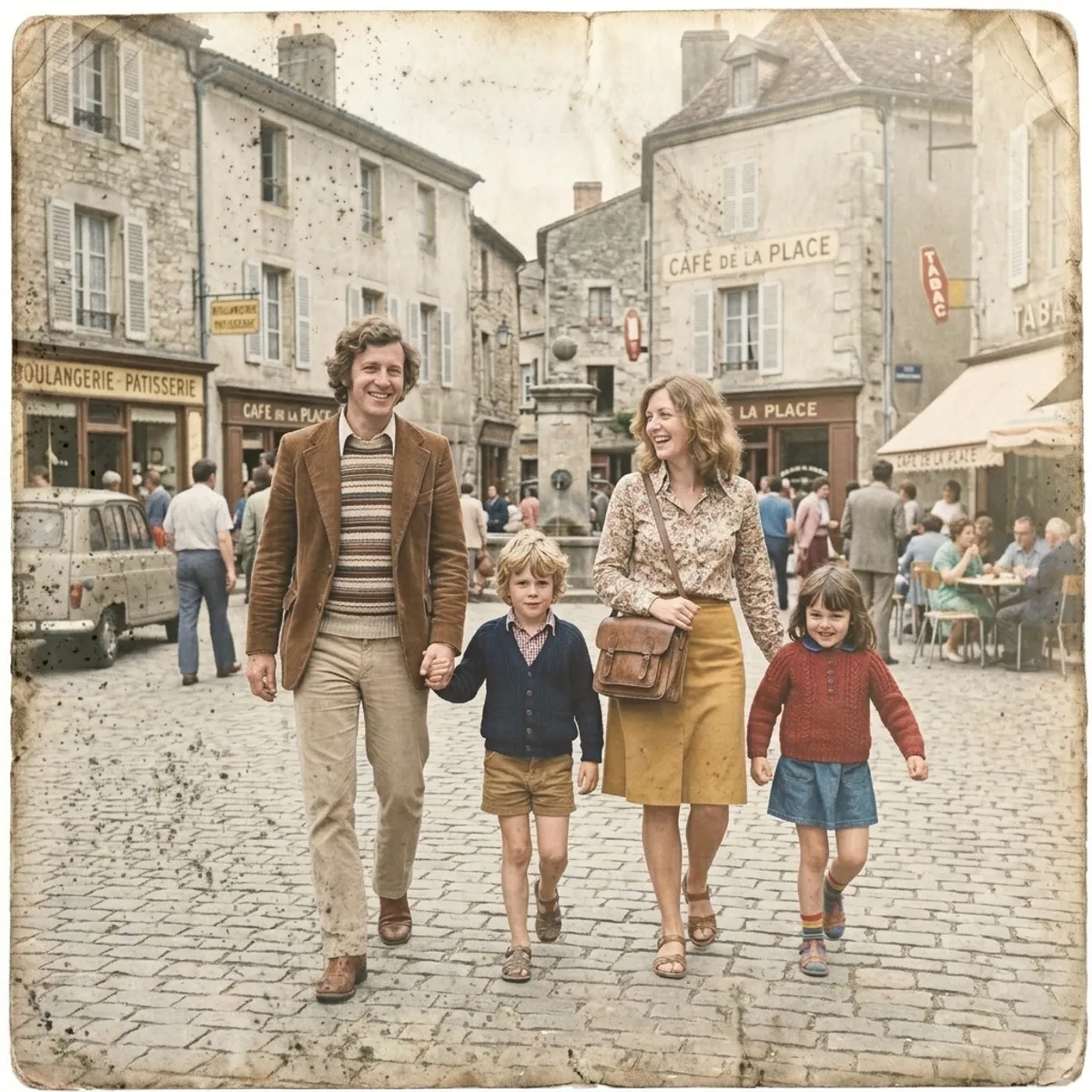
Repair damaged photos, restore faded color, sharpen blurry old pictures, and colorize black-and-white photographs. Keep the original nearby as you review the result.

A light touch for old photos

The restoration focuses on scratches, fading, tears, and soft detail while keeping the source image available for comparison.

Choose how color is handled

Preserve the original palette, add color to a monochrome photo, or convert a color photo to black and white before starting the restoration.

Private by default

Your photos stay in your library until you delete them, encrypted at rest. We never sell them, and you can remove restorations from the library when you are done.

Repair scratches, tears & fading

Fixes the damage analog photos collect over decades: torn corners, water stains, severe yellowing, silver mirroring on old prints.

Colorize black-and-white photos

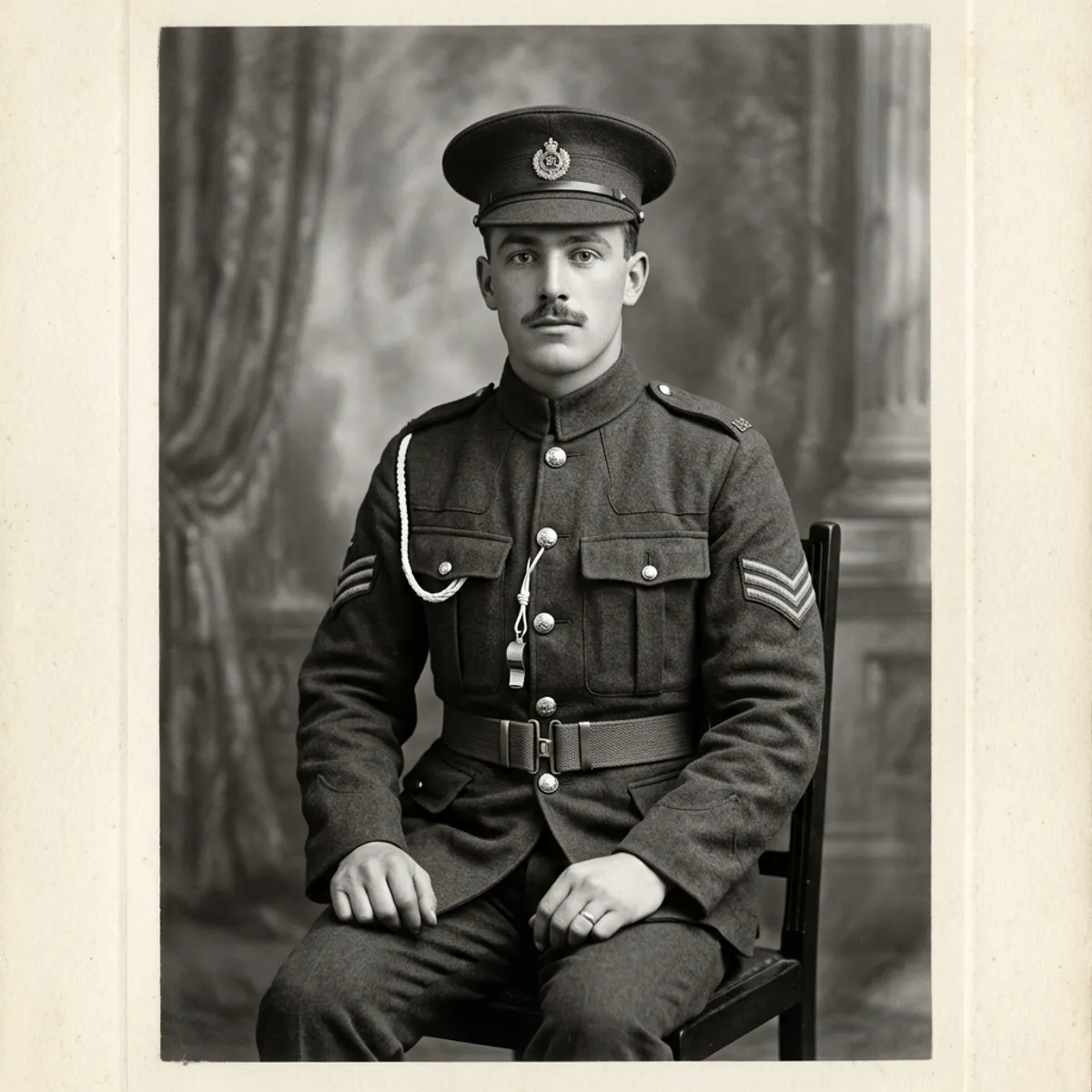
Add color to old monochrome portraits, wedding photos, and family snapshots, then compare the result with the original.

Re-run with custom instructions

Not happy with a result? Re-run with a short instruction like "make my dress red" or "remove the building behind me", and the AI applies just the change you asked for.

Pricing

Simple, honest pricing.

Start free. Upgrade when you're ready. Cancel anytime, one click.

Free

Perfect for trying it out.

$0 forever
No credit card needed
  • 3 restorations to try
  • Watermarked preview downloads
  • Works in any web browser
Start free
Best value

Pro

More control for your archive.

$8.25 /mo
Billed $99 yearly
  • Everything in Family
  • Video generation coming soon
  • Early access to new features
  • Email support
Choose Pro

*Unlimited use is subject to our fair-use policy.

Frequently asked

How to restore old photos: your questions, answered.

How can I restore old photos for free?
RestorePhoto gives you three free AI photo restorations, with no credit card needed. Snap the original with your phone and the app can repair scratches, tears, fading, and water damage. Free downloads are watermarked and capped at 1600px, and a re-run counts as one of your three. Upgrade to Family or Pro for full-resolution downloads.
What's the best app to restore old photos?
The right app is one that lets you compare the source with the restored image and keep control of your files. RestorePhoto is free to try, then offers Family and Pro plans for full-resolution downloads and additional tools. No Photoshop knowledge is needed.
Can AI restore severely damaged photos with scratches and tears?
It can help with torn, water-stained, heavily creased, or faded photos, including prints with small areas missing. Results depend on what remains in the source. A face blurred by camera movement in 1938 may still look soft because the missing detail was never captured. When in doubt, try a photo and compare the result with the original.
How do I colorize a black-and-white photo?
Choose Colorize in the color controls before you upload. RestorePhoto keeps black-and-white photos black-and-white by default; the color option asks the restoration to add color to portraits, wedding photos, and snapshots. You can compare the result with the original and try again if it needs a different look.
How do I make a blurry old photo clear?
The restoration can improve soft detail, but the result depends on the source photo. It works best when the image is slightly soft from scanning or focus drift; a photo with strong motion blur may still look soft because the missing detail was never captured.
How do I restore faded color photos?
Choose Preserve original color before you upload a faded color photo. The restoration will use the source as its color reference while it works on damage and soft detail. Results vary with the age, exposure, and condition of the print, so compare the result with the original.
How long does AI photo restoration take?
Processing time varies with the file size, the damage, and current demand. The app keeps the job in your library so you can return to it if the browser closes.
What's the difference between RestorePhoto and Photoshop for old photos?
Photoshop gives you detailed manual control. RestorePhoto gives you a guided AI restoration in a browser, with before and after comparison, download options, and a way to request another pass when a result needs adjustment.
Can I scan old pictures with my phone?
Yes. Lay the photo flat in soft, even light, hold your phone parallel to it, and snap a picture. You can review the upload, rotate it, and crop it before restoring. No flatbed scanner is needed, and existing scans work too.
Can I restore old photos from my phone, or do I need a computer?
Either works. RestorePhoto runs in any modern browser on iPhone or Android, no app download required. You can also use it on a desktop if your scans live there.
Will the AI restored version look fake or over-processed?
Results vary with the source image and the damage. Compare the restored image with the original, and re-run with a short instruction such as "keep more film grain" if you want a different balance.
What if I'm not happy with the result?
Every restoration on the Results page has a "Re-run with custom instructions" button. Type a short instruction ("make my dress red", "remove the bin in the corner", "warmer skin tones") and ask the AI to focus on that change. Free plan: counts as one of your three. Family/Pro: unlimited.
How do you handle my photos?
Your photos stay in your personal library until you delete them, and they're encrypted at rest. We don't sell them. You can delete individual restorations from the library when you are done, or contact us about account data.
Can I cancel my subscription anytime?
Yes. The cancel button is on the first page of your account settings (not buried). Cancellations take effect at the end of the current billing period; anything you've already restored is yours to keep forever.
Get started

The photos aren't getting any younger.

Restore Old Photos runs in your browser, so there's nothing to install. Pick one from the album and review the restored result when the job is ready.